As Keba software only uses a single file for the entire project, it’s really hard to see exactly what has changed in the code on Git. Because of this issue, I have created a small script that extracts the code and then performs a difference comparison. This script will be committed as an additional file, along with the .project file.
How to Use the Comparison Script:
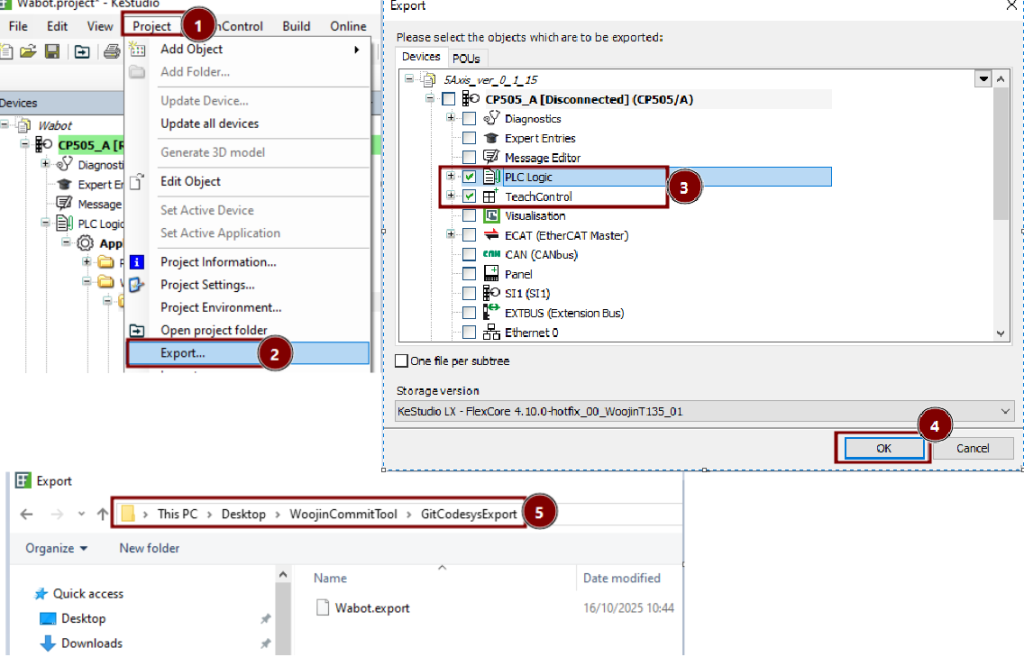
- Preparation (Old Version): Download the latest project version from Git and extract the code (only PLC Logic and TeachControl) from KeStudio into the
GitCodesysExportfolder (which is inside the script directory).
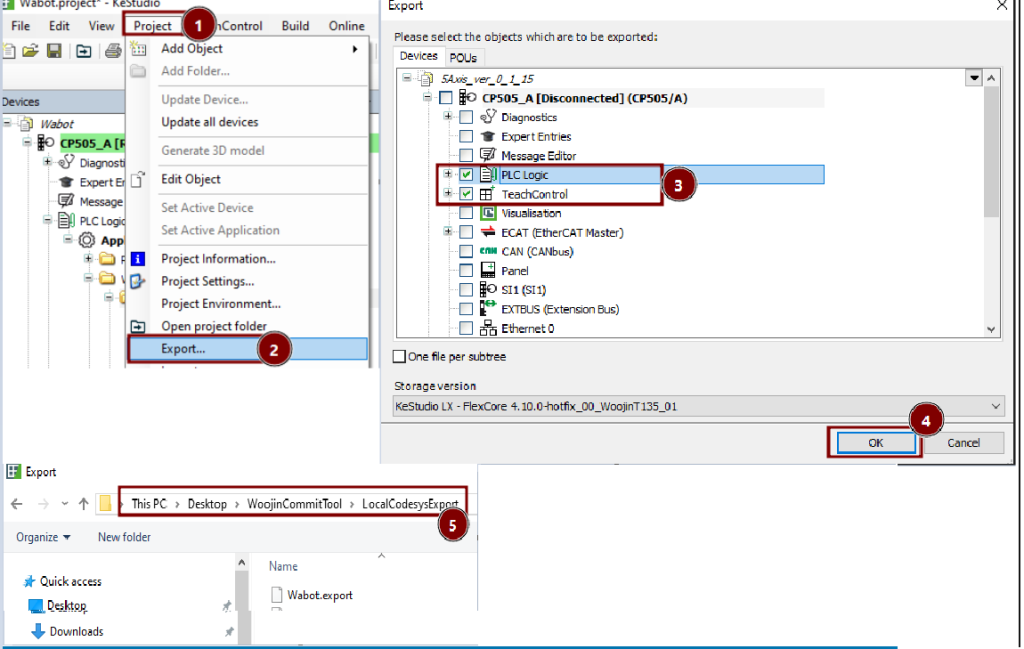
- Preparation (New Version): Before committing, the current code (only PLC Logic and Teachcontrol) needs to be exported again and saved in the second folder (
LocalCodesysExport).
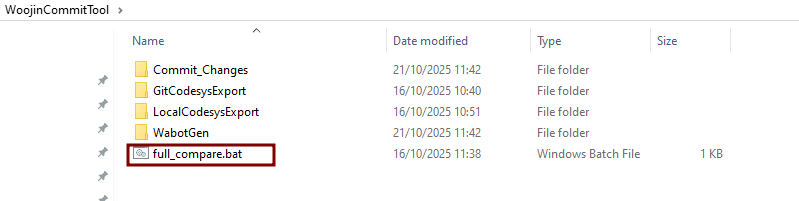
- Run Comparison: The next step is to run the script (
full_compare.bat) inside the script folder.
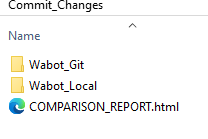
- Commit: After the script is finished, the contents of the
Commit Changesfolder should be copied to the project folder and committed to Git along with the project files.
- Script can be found under ” https://svn.woojin.at/svn/RD/02_Control/99_Misc “


