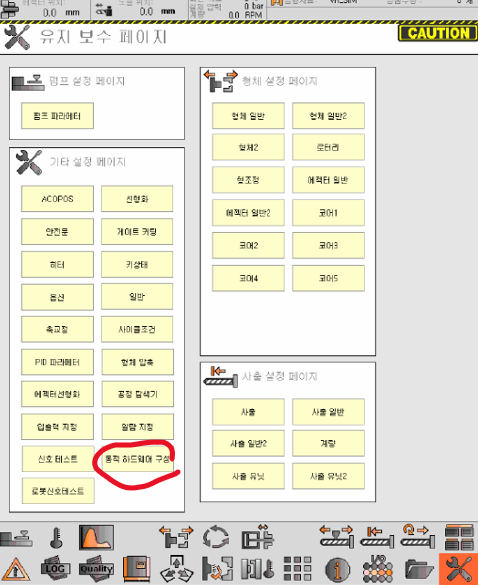
1. Screen #
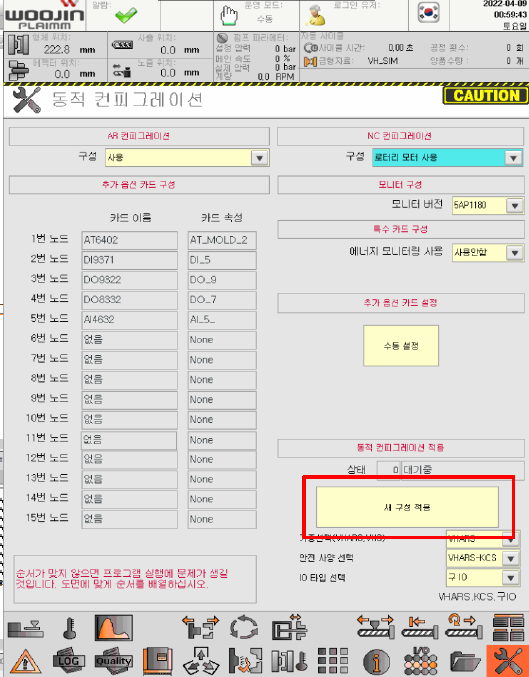
Click Dynamic Hardware Configuration on the maintenance page.
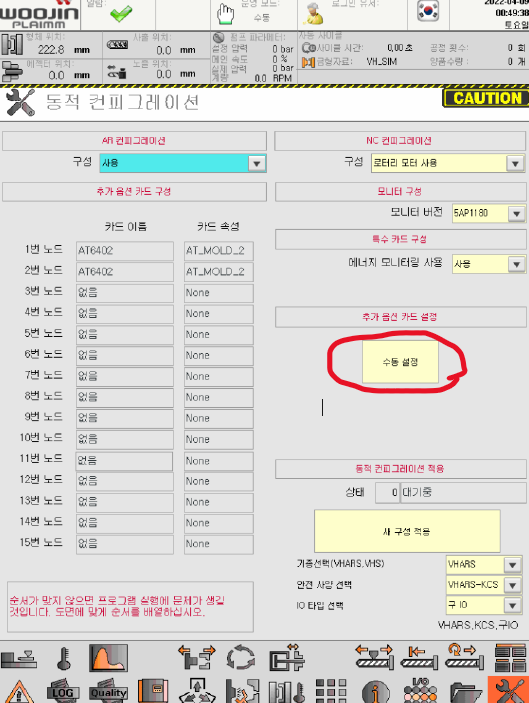
2. Configuration #
- AR Configuration: Select if used.
- NC Configuration
- For VHLRS, VHARS → select rotary motor option.
- For VHS → do not select rotary motor option.
- Monitor Version
- 5AP1180 → New monitor
- Special Card Configuration
- Select when adding energy monitoring card (AP3131).
- Manual Setting
- Additional option cards can be modified (add/remove) via Manual Setting → Option Card.
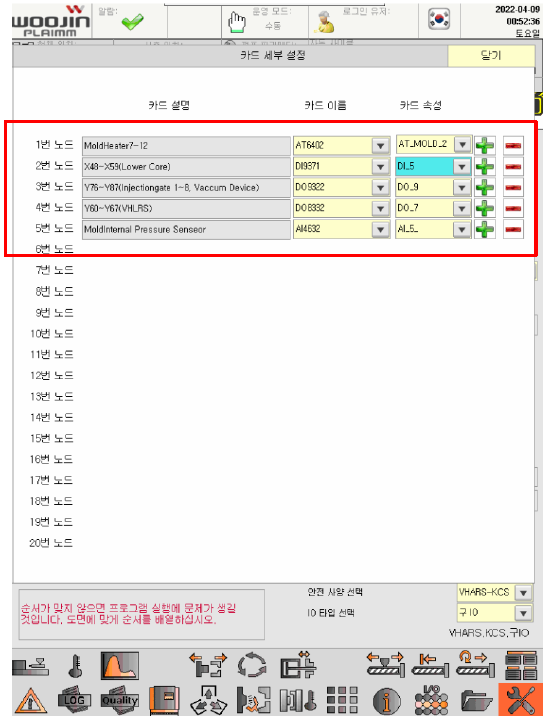
3. Adding Cards (Manual Setting) #
- Additional cards can be configured on the relevant screen.
- Verify the default card configuration when entering this menu.
- Each machine type (VHARS, VHLRS, VHS) has a different default configuration; confirm before proceeding.
- Option cards must be added after the default cards.
Example:
Default Card + AT6402 + DI9371 + DO9322 + DO8332 + AI4632
- Add in this order using the configuration menu.
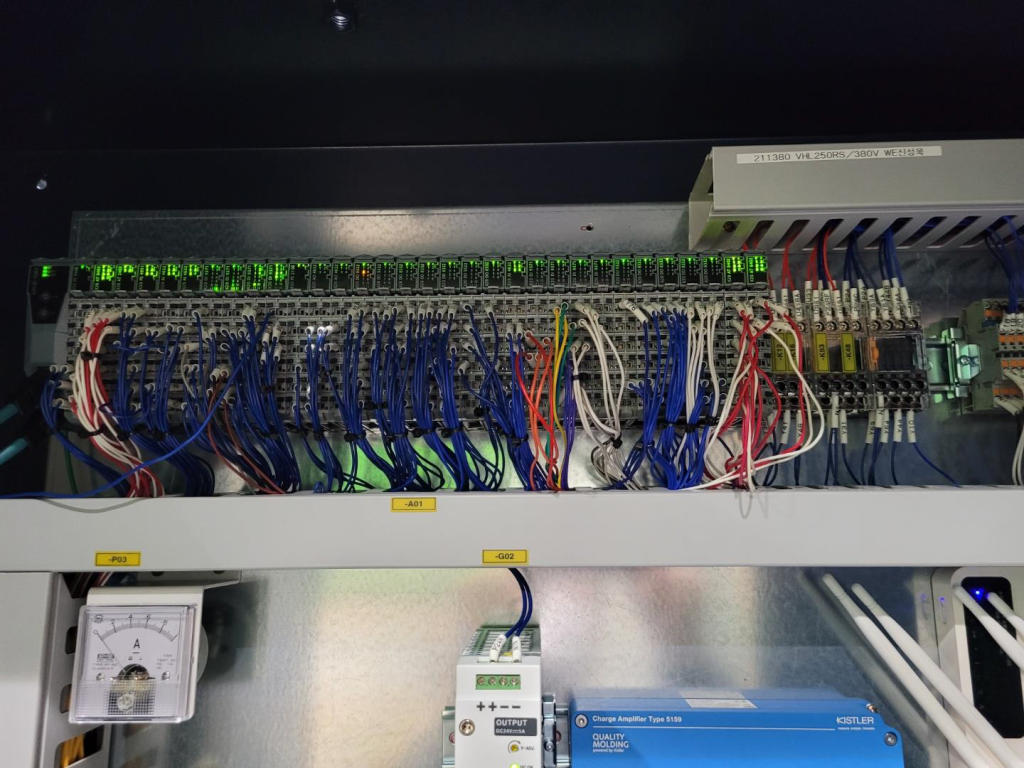
- Verify the actual numbering on each physical card.
- Check DI/DO card setup and option card descriptions.

4. Applying a New Configuration #
- After completing all settings, click Apply New Configuration.
- Reboot the system and check the hardware modules.
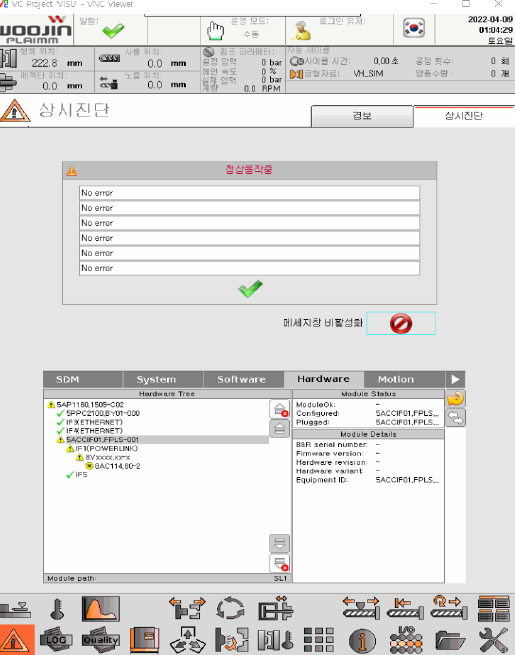
5. Hardware Diagnostics #
- Use the Diagnostics Page to verify installed hardware.
- Select the hardware with errors to check status:
- Configured = Hardware defined in the program
- Plugged = Physically installed hardware
- These two states must match for proper operation.