Page Overview #
Contents #
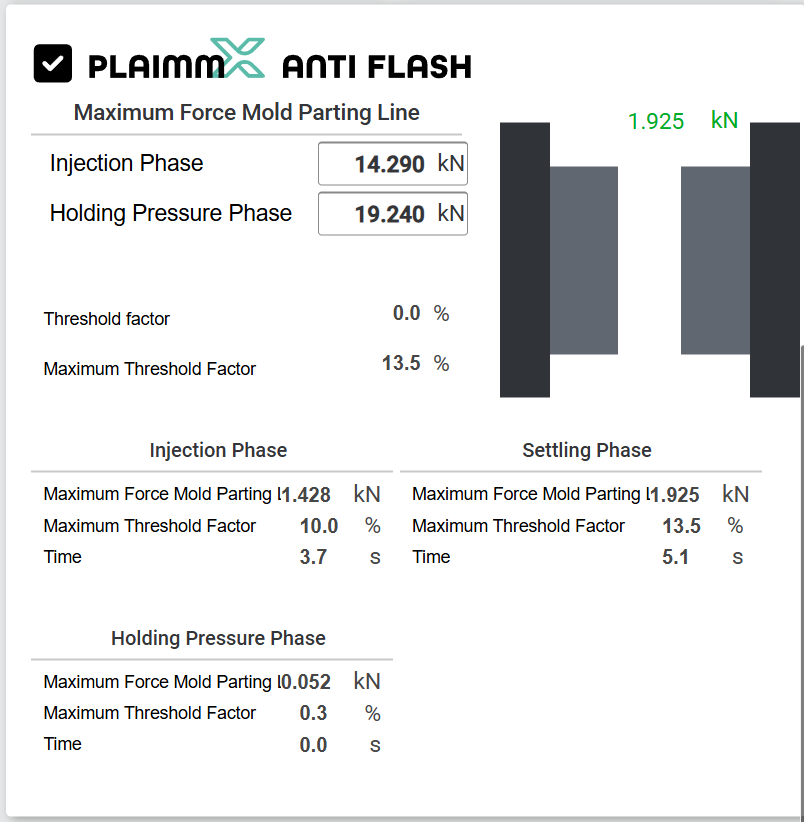
✅ Enable of the function #

With this checkbox, the option can be disabled. When the option is disabled, no flash forces are calculated during the injection process, and consequently, no defective parts are marked even if threshold values are exceeded.
Mold Graphic View #
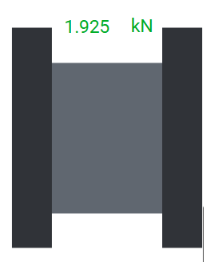
This overview graphic shows the current state of the mold. The mold parting line is visible, along with the current force at the parting line that counteracts the clamping force.
Max Value Setting #
Injection Phase #
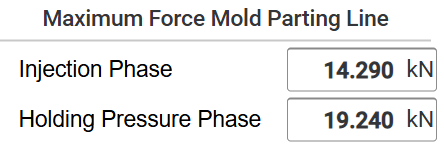
This numeric input specifies the maximum permissible threshold value of the opposing force at the mold parting line during the filling phase and the settling phase. The threshold value during this dynamic filling phase should typically be set significantly lower compared to the packing phase.
Holding Pressure Value #
This numeric input specifies the maximum permissible force during the packing phase. During the packing phase, the permissible force can be set higher before a potential flash forms on the molded part, as the part begins to freeze.
Actual Values #
Threshold factor #
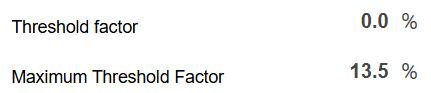
This actual value displays the current force at the mold parting line, expressed as a percentage of the threshold value.
Maximum Threshold Factor #
This value stores the maximum force in percentage that occurred during the filling phase, settling phase, and packing phase.
Detaild values for each phases #
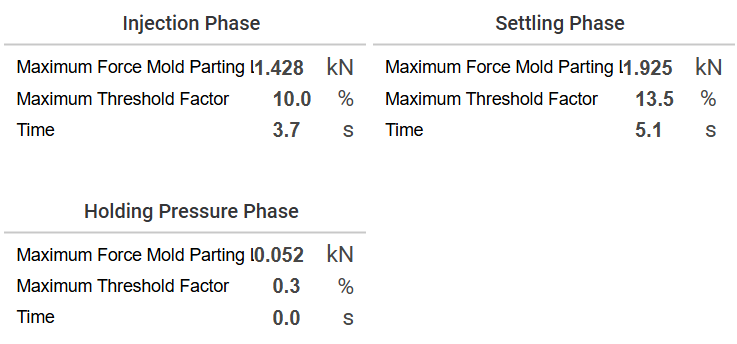
- Detailed values for the filling phase.
- Detailed values for settling phase
- Detailed values for packing phase.
Qaulity Table #
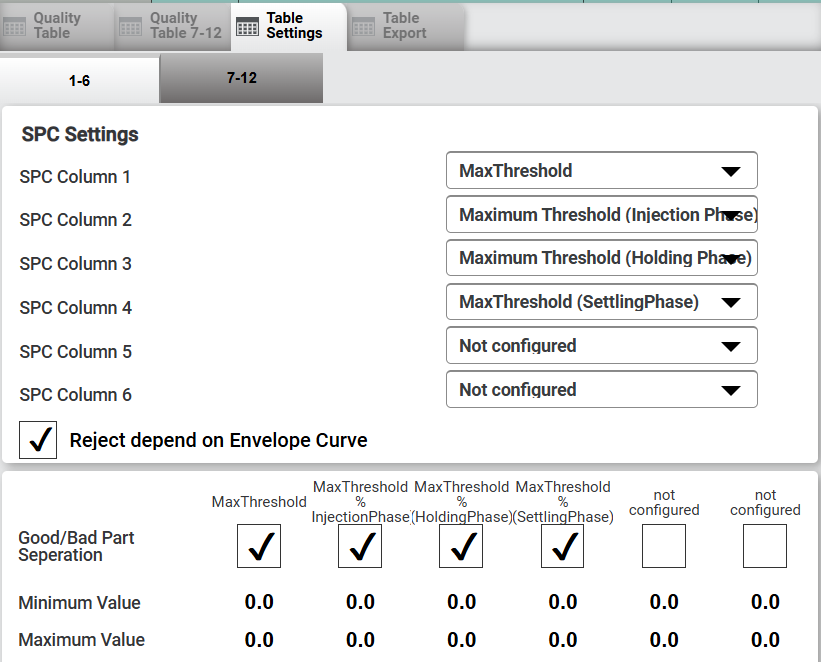
In the quality table, the maximum value of the Anti-Flash Threshold Level can be selected for good/bad part separation to sort out the molded part as a bad part in case threshold level exceed tolerance value.


